
 Swiss Made
Replace Your VPN With A Private Network You Control
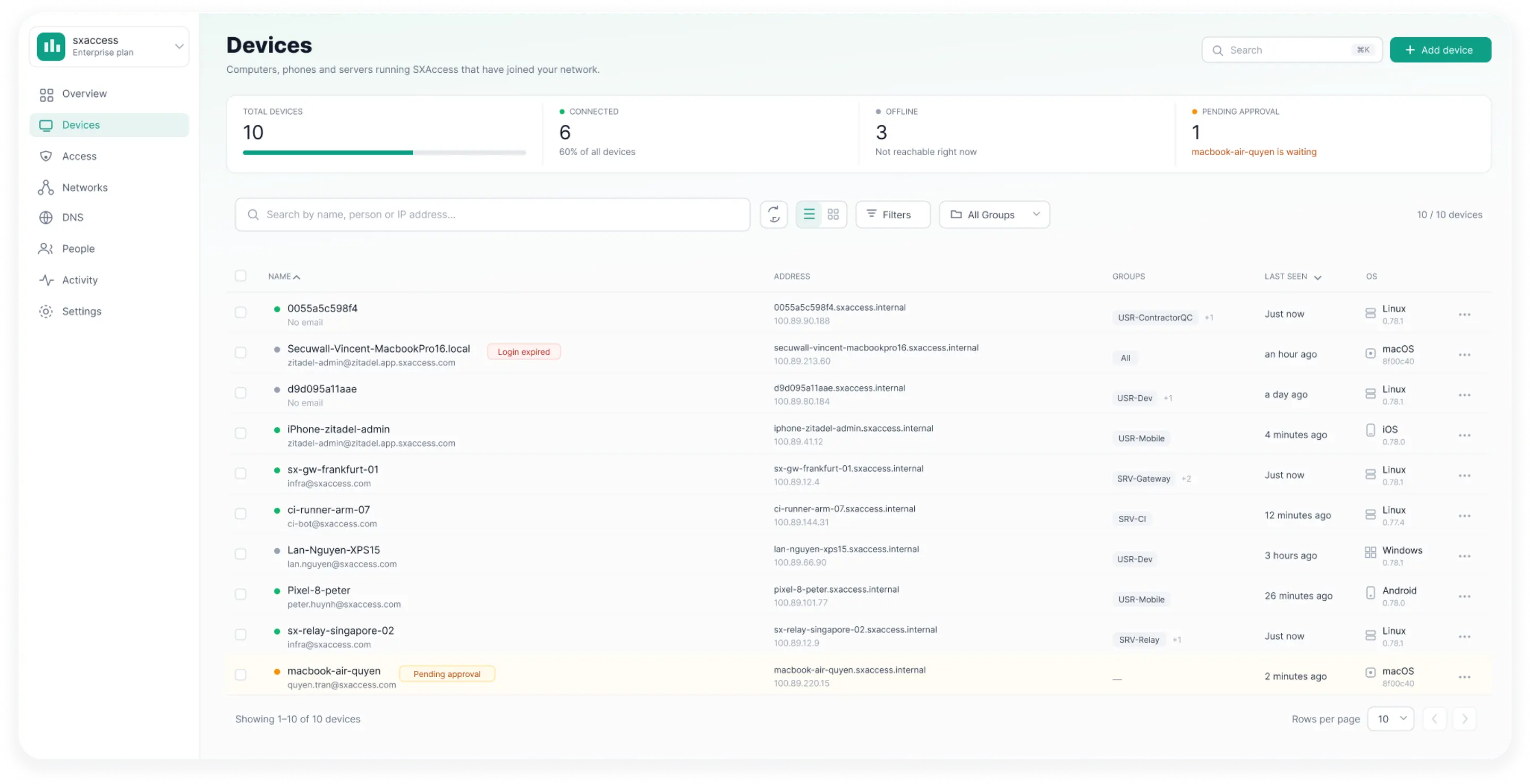
SXAccess creates an encrypted overlay network across everything you run — laptops, servers, offices, cloud environments, private subnets — and controls exactly who reaches what inside it. The overlay is the network. The access rules are the perimeter.
Explore Solutions


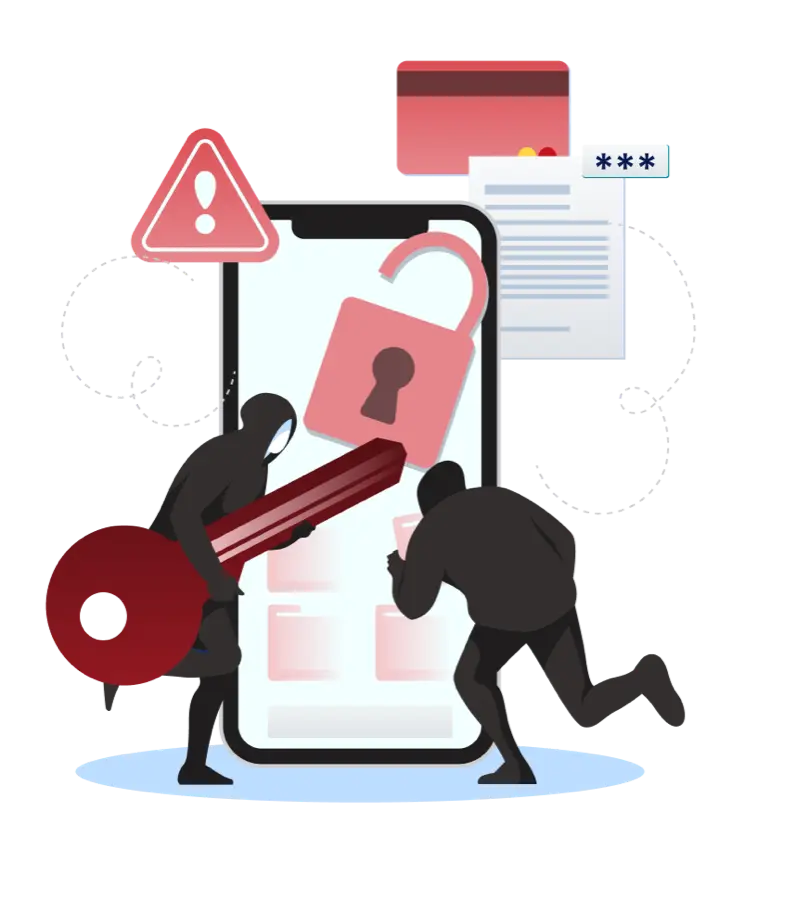
Why The VPN Model Runs Out Of Road
- 01
Connecting to the Network Is Not the Same as Needing It
A VPN answers one question: may this user join the network? Once the tunnel is up, the user can usually see far more than the single application they signed in for. Every extra route is exposure nobody asked for.
- 02
Your Infrastructure No Longer Sits in One Place
Users work from anywhere. Apps run in data centers, the cloud, or on-prem. Connecting them with site-to-site tunnels and firewall rules means every new environment adds more configuration overhead.
- 03
Static Network Rules Age Badly
People change teams. Devices are replaced. Servers move. Subnets are added. Access rules written against IP ranges do not follow any of that, so they are either updated by hand or quietly left too permissive.
- 04
The Tunnel Is Not the Boundary
Encryption protects traffic in transit. It does not decide what a user should be able to reach once connected. Those are two separate jobs, and a VPN only does the first one.
- 05
A VPN Stops Asking Questions Once It Is Up
VPN authenticates once at connection and keeps the tunnel open. It never rechecks the OS, endpoint agent status, or geographic changes. The decision is made once and never revisited.
How SXAccess Works
Four things happen before any traffic moves — and the last two keep happening while the session is open.
The Member Authenticates
Members and devices sign in to SXAccess before they can participate in the private network. Nothing joins the overlay unauthenticated.
The Device Joins the Private Network
An authenticated device becomes a member of your encrypted overlay, reachable by name rather than by whatever IP address the local network happened to hand out.
The Device Requirements Are Checked
When required by an access rule, SXAccess checks enabled device requirements — Operating System, Process, Client Version, Country & Region, and Device Network Range.
The Access Rules Decide What It Reaches
Each connection is checked against access rules for the member, device, group, and destination. Matching traffic uses encrypted private connectivity; everything else remains unreachable.
Verify the member. Verify the device. Then grant only the access the work requires.

Device Requirements
Authenticating a person tells you who is at the keyboard. It tells you nothing about the machine they are using or where they are using it from. SXAccess offers five device requirements, each of which can be switched on for the access rules that need it:

Operating System
Restrict access based on the operating system of the device
Process
Restrict access based on the running processes of a device (available on desktop operating systems)
SXAccess Client Version
Restrict access to devices running a specific SXAccess client version
Country & Region
Restrict access based on the country or region a connection comes from
Device Network Range
Restrict access by allowing or blocking device network ranges

Applied Per Access Rule
Device requirements are not one blunt setting for the whole network. Each is attached to the access rules that warrant it, so a contractor access rule can require a supported Operating System and an approved Country & Region while an internal read-only application requires none of them.

Re-Evaluated While the Session Is Open
A device requirement is not a one-time test at the door. Checks are re-evaluated on a recurring basis for the life of the session, so a device that falls out of compliance loses the access it no longer qualifies for — rather than keeping it until the next sign-in, whenever that happens to be.
A VPN asks who you are, once. SXAccess also asks whether the machine you are on is still fit to be here.
A Connection That Survives Real Life
On-Demand Connection Rules
SXAccess brings the connection up automatically based on the network the device is on. Rules can be set separately for Wi-Fi and for cellular, and a Wi-Fi rule can name the specific networks it applies to — or the specific networks to leave alone, so the office network can be excluded while everything else connects.
Automatic Reconnection
When the network path changes — Wi-Fi to cellular, one Wi-Fi network to another, a link dropping and returning — SXAccess re-establishes the connection without tearing down the session. Members move between networks without noticing, which is the difference between remote access people use and remote access people work around.

Diagnostics You Can Send
When something does go wrong, a diagnostic bundle can be generated from the client in a few taps, with sensitive values removed and an upload reference to hand to whoever is helping. Smaller teams without a helpdesk get something useful to send their IT provider; larger teams get a first response that is not a screenshot of an error message.
One Private Network Across Everything You Run
SXAccess connects endpoints directly to each other over encrypted private connectivity, so internal systems never need to be published to the public internet to be reachable by the people who use them.

Devices Join Directly
Laptops, workstations, servers, and cloud instances can run SXAccess and become members of the private network in their own right — no matter which network they sit on.

Networks Join Through Routing
Not every resource can run an agent. Routes make whole private networks reachable through an authorized Routing Device, so the following stay in place and stay private:
- Office subnets and branch networks
- Cloud VPCs and private cloud networks
- Internal servers and databases
- Line-of-business and legacy systems
- Internal services with no public endpoint
Routed resources are governed by the same access rules as directly connected devices — reachability and permission remain separate decisions.

Sites and Networks Join the Same Way
Because the overlay treats every member the same way, the connection patterns a distributed business needs are all the same mechanism:
Access Built Around Least Privilege
Traditional network access asks whether a user may connect. SXAccess asks the more useful question:

“What exactly should this user be allowed to reach?”
Access rules are written against the things that actually describe your business, not against IP ranges:
- Members and member groups
- Devices and device groups
- Destination resources and networks
- Protocols and ports
- Device conditions — operating system, running processes, client version
- Connection conditions — country or region, device network range
The result is connectivity that matches the job description:
Developers → Development servers →
SSHFinance → Internal applications →
HTTPSContractors → Assigned resources only
A developer who needs SSH to a build server gets SSH to a build server. Not the production database, and not the finance subnet.
Central Management That Keeps Up With Change
Members, devices, groups, networks, routes, and access rules are all managed from one console. When someone joins, changes team, or leaves, you update group membership — the access rules written against that group keep working. When a new server or cloud network arrives, you add it and assign the access it needs. The connectivity model itself does not get rebuilt each time the business changes shape.


Activity Visibility
SXAccess records important platform activity in a centralized Activity Log, so there is a single place to look when you need to know what changed and when:
- Member and device activity
- Connection activity
- Group membership changes
- Access rule changes
- Network and route configuration changes
- Administrative actions
The Activity Log gives administrators a clear history for operational review and troubleshooting.
Outcomes You Can Expect
Authenticating a person tells you who is at the keyboard. It tells you nothing about the machine they are using or where they are using it from. SXAccess offers five device requirements, each of which can be switched on for the access rules that need it:

Less of Your Network Exposed
Private applications and infrastructure stop needing public endpoints to be usable, and members stop being able to reach systems that have nothing to do with their work.

Device-Aware Access, Not Just Identity
Device requirements gate access based on OS, running processes, SXAccess client version, location, and network range — continuously rechecked throughout the session.

Access That Matches the Role
Access rules are written per group and per resource, so a change of role is a change of group — not a rewrite of firewall rules.

Fewer Connection Complaints
On-demand rules and automatic reconnection mean the connection is up when it is needed and holds when the network changes, which removes a recurring category of support ticket.

Remote Access Without the Tunnel Sprawl
One overlay replaces per-site VPN concentrators, client profiles, and the tunnels between them.

One Place to Manage It All
Members, devices, groups, routes, and access rules live in a single console instead of being spread across network appliances.

Connectivity That Survives Growth
New offices, new cloud environments, and new servers join the existing private network rather than triggering a redesign.

A Clear Change History
The Activity Log answers “who changed what, and when” without assembling logs from individual devices.
Who SXAccess Is For


Small Business
No network engineer or appliance needed. Connect devices, one office, and cloud services on a private network while limiting contractors to approved resources and countries.

SMB
Connect offices, remote teams, cloud, and on-premises systems through one overlay. Manage access by group as your organization grows.

SME
Secure hybrid infrastructure with least-privilege rules by protocol and port. Require endpoint agents for production access and keep development, staging, and production separate.

Enterprise
Connect sites, teams, and private networks selectively. Use groups and routes to scale segmentation, enforce device requirements, and centrally audit access and configuration changes.

Control Access. Not Just Connectivity.
SXAccess brings authenticated access, device requirements, encrypted private connectivity, routes, and least-privilege access rules together as one private network. Give people access to what they need — without giving them the entire network.
Connect securely. Control precisely.